


Sculpt in the round
Block out figurative pieces, abstract forms and larger installations. Refine proportions, flowing contours and the transitions between them.


Kutzall applications
From raw material to remarkable form.
Bring movement, depth and character to your work. Shape flowing curves, carve expressive details and explore texture with tools that follow your ideas.

A tool for each stage
Choose for the scale and shape of your work, then check the shaft or mounting setup against your power tool.

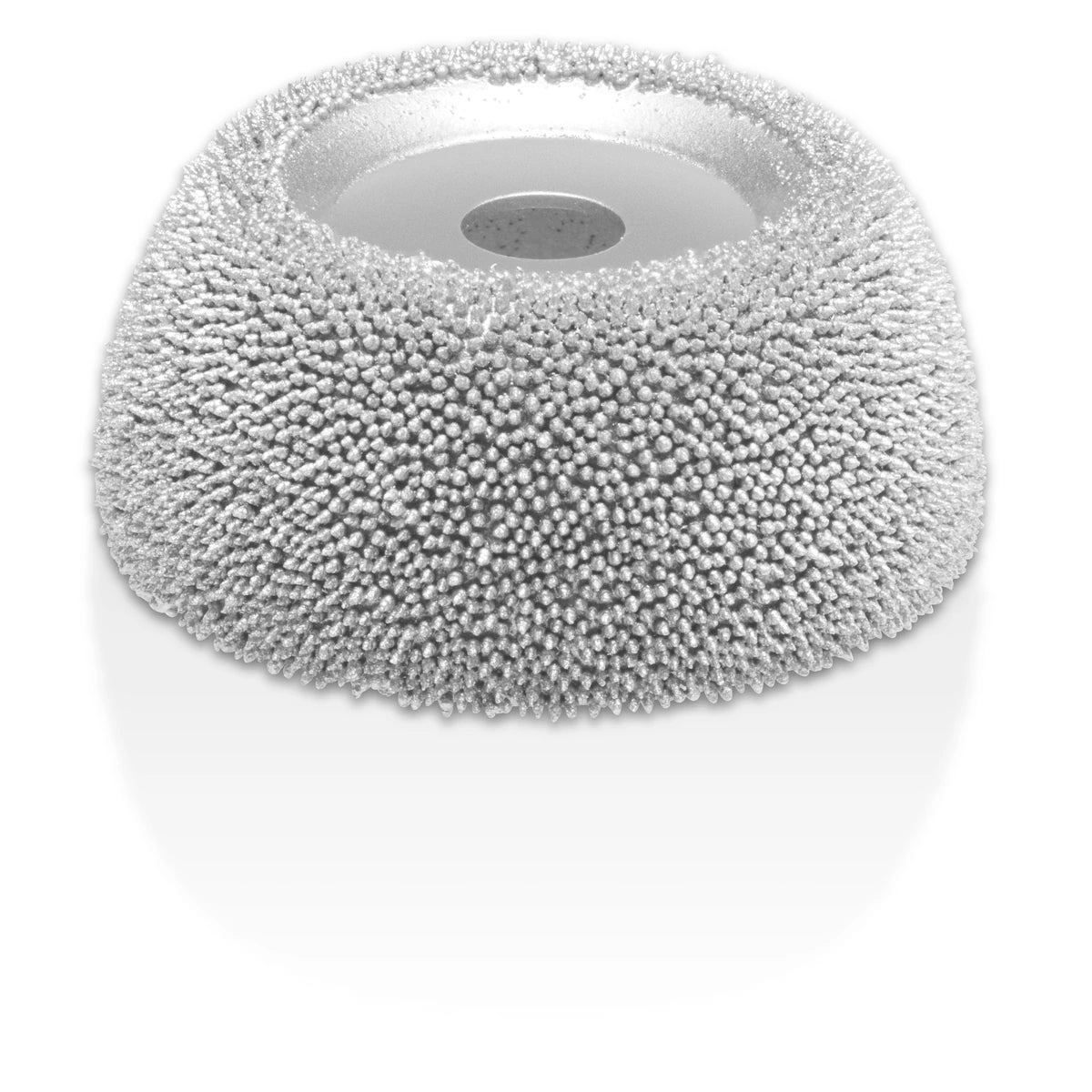
4½″ wheel · Compatible angle grinders
A dish wheel helps remove bulk and develop broad, concave shapes on larger sculptural work.

1/4″ shafts · Compatible die grinders
Switch burr profiles as you develop contours, recesses, relief and surface texture.
1/4″ shaft adapter included
Shape concave surfaces and rounded transitions with a compact 2-inch wheel. Other supported mounting setups need the appropriate adapter, sold separately.

1/8″ shafts · Small rotary tools
Use five burr profiles for smaller grooves, hollows and sculptural texture. Match the head size to the space you want to carve.
Match the shaft or mounting adapter, accessory size and speed limits to your power tool. Choose a coarser grade for faster removal or a finer grade for lighter shaping, then hand-finish as needed.
Check power-tool compatibilityMade to inspire
Anatomical detail, a face full of character or a surface that draws you closer. See how makers turn raw wood into something expressive.
Tools for the work
Compare the four featured tools, from broad shaping to smaller contours and details.
Find your carving tool
Carve inward curves + hollow out flowing forms.
Four shapes + mixed grades for shaping + refining larger forms.
Head diameter × length
Shape rounded edges, hollows + flowing contours.
Five shapes + mixed grades for shaping, refining + adding grooves.
Head diameter × length
Made to inspire
Organic shapes, bold color and mixed materials open up another world of possibilities.
Shape your own direction
Block out figurative pieces, abstract forms and larger installations. Refine proportions, flowing contours and the transitions between them.
Give wall art and panels a sense of depth. Explore raised forms, recessed areas, negative space and accessible undercuts.
Create visual rhythm with grooves, dimples and organic patterns. Blend textured areas into smooth surfaces or combine carved and fabricated elements.
From first pass to final form
Begin with the overall silhouette, removing bulk gradually and checking the form from different angles. Refine curves and proportions next, then add relief, texture and smaller details. Adjust pressure and direction as the grain and shape change.
Explore hardwoods, softwoods, laminations and suitable reclaimed wood, or work with foam, cured epoxy, resins, plastics, rubber and suitable composites. Test an offcut and follow material and tool guidance. Finish with hand tools and sanding to achieve the surface you want.
See how Kutzall tools help refine larger 3D-printed parts, another way to bring shaped and fabricated elements into your work.
Yes. Power carving supports abstract, figurative, relief and mixed-media work, from small studies to larger installations. The artist determines the form, texture and finish.
No. Larger profiles and coarser grades help remove bulk, while smaller profiles and finer grades support lighter shaping and detail. Sanding and hand finishing can refine the final surface.
The two work well together. Power tools help establish and refine the form; hand tools give you another way to develop details, transitions and the finish.
Kutzall tools can shape hardwoods, softwoods, laminations and suitable reclaimed wood, along with foam, cured epoxy, resins, plastics, rubber and suitable composites. Check the requirements of your material and tool, and test an offcut first.

